How I Built an AI-Powered Portfolio for (Almost) $0
I had been thinking about starting a software engineering blog for a while. Not the kind where I teach you something that you can find in documentation and somehow make it longer on top of a toy project, but one about problems and solutions that survived contact with reality, mostly based on my own experience.
This is my blog post, so I suppose this is where I talk about my motivations behind this, right? Well, my main motivation is selfish. Basically, explaining something forces me to organize it and discover whether I really understood it or merely convinced myself that I did. Apparently, this also helps the brain remember things, but this is a software engineering blog, not a neuroscience blog. For now…
I also want a structured database of things that I’ve learned, especially applied knowledge cases. And of course, last but not least, I really like sharing what I find interesting, and what I would have liked to find in the first place when looking for references or ideas.
And now that I’m going to build a blog, why not make it also my contact/showcase page? I mean, I’m not going to buy a separate domain just for another “I am passionate about technology…” - that’s what LinkedIn is for.
Why Astro?
I had heard good things about Astro, but I rarely build content-driven websites. This project finally gave me an excuse to try it.
I expected the development experience to feel limited after years of working with structured JavaScript frameworks. I was pleasantly wrong. Astro still gave me reusable components, layouts, file-based routes, TypeScript support, and optimized assets. The important difference is that Astro components render to HTML without adding client-side JavaScript by default. When a page needs interactivity, you add it deliberately instead of shipping an application runtime because a footer exists.
The blog uses an Astro content collection. Every post is a Markdown file in the repository, with typed frontmatter for its title, description, tags, and publication date. I edit a file, review it in Git, and deploy it with the site. The history is transparent and easy to back up. If Markdown becomes too limiting, the project also supports MDX components without moving everything into a CMS.
The collection definition is small enough to understand without a diagram or a certification course:
const blog = defineCollection({
	loader: glob({ base: './src/content/blog', pattern: '**/*.{md,mdx}' }),
	schema: ({ image }) =>
		z.object({
			title: z.string(),
			description: z.string(),
			tags: z.array(z.string()).default([]),
			pubDate: z.coerce.date(),
			updatedDate: z.coerce.date().optional(),
			heroImage: z.optional(image()),
		}),
});
The official VS Code extension also made the development experience much better than I expected. It provides syntax highlighting, autocomplete, type information, and diagnostics for .astro files, so working with Astro felt almost as natural as working with TypeScript. There is support for other editors and IDEs too, including Zed and JetBrains, so VS Code is not your only option.
Throw AI into it
My first deployment idea was Netlify. It is a reasonable option, but this was an experiment, so I chose the platform I knew less about: Cloudflare.
Cloudflare Workers sounded more complicated than they are. A Worker is not a tiny virtual machine that I have to patch and occasionally restart while pretending this is normal. It runs my application code on demand, while Cloudflare handles the underlying infrastructure.
The official Astro adapter builds the server-side part of this site for the Workers runtime. A small wrangler.jsonc file defines the entry point, static assets, compatibility settings, observability, and bindings. Deployment is just the Astro build followed by wrangler deploy.
Cloudflare also publishes agent-friendly documentation and skills. Product-specific instructions did not remove the need to understand the configuration, but they saved my coding agent several rounds of guessing which documentation page I had misunderstood.
Then the site was online. And it was fine.
Unfortunately, “fine” is not especially interesting.
Every application needs AI now, apparently
Once the portfolio was finished, I asked myself: “Would I write an article about this?”
The answer was no.
It was still another portfolio with a blog: nicely organized and about as surprising as a login form. So I followed the sacred rule of modern software development: when in doubt, add AI and reconsider the valuation.
Jokes aside, this was a useful place for it. The site already contained structured information about my experience, skills, education, and projects. Visitors could ask:
- Have you worked with Python?
- How much Kotlin experience do you have?
- Have you used LLMs in production?
- Here is a job description. Where are you a strong fit, and where are the gaps?
I had two constraints. I did not want an API key exposed to the browser, and I did not want strangers turning my portfolio into a very small but very expensive public chatbot.
Running a model on a VPS was possible, but it would add a permanent bill for a feature that might receive five questions on an exciting day. Then I found Workers AI.
Workers AI provides hosted models through the same Cloudflare platform. I added an AI binding and selected @cf/meta/llama-3.1-8b-instruct-fp8, a quantized Llama 3.1 8B model. The model can be changed through configuration, and an adapter supports OpenAI-compatible providers if I want to switch later.
Both the binding and the model live in wrangler.jsonc:
{
	"ai": {
		"binding": "AI",
		"remote": true
	},
	"vars": {
		"CHAT_PROVIDER": "cloudflare-workers-ai",
		"CHAT_MODEL": "@cf/meta/llama-3.1-8b-instruct-fp8"
	}
}
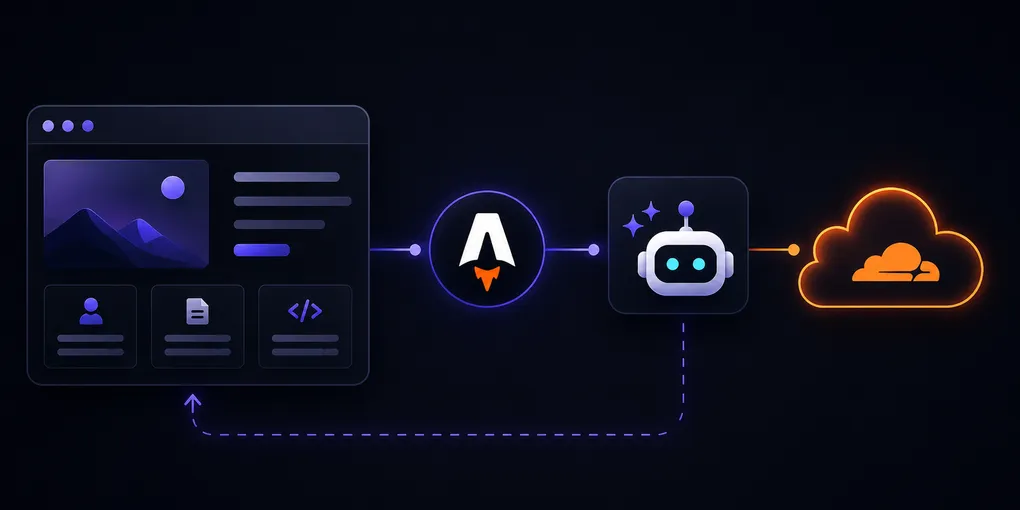
The request flow is intentionally boring:
- The browser sends the conversation to
/api/chat. - The API validates it and loads my public profile data from JSON files.
- That data is added to a system prompt with rules about scope and unknown information.
- The provider adapter calls the configured model through the Workers AI binding.
- The answer returns to the chat sidebar.
The model call happens on the server. The assistant is instructed to stay within my professional profile and admit when the data does not contain an answer instead of improvising a more accomplished version of me.
Calling the model through the binding is also refreshingly uneventful:
const result = await this.ai.run(this.model, {
	messages: [
		{ role: "system", content: input.systemPrompt },
		...input.messages,
	],
	stream: false,
	temperature: input.temperature,
	max_tokens: input.maxTokens,
});
I did not add RAG, embeddings, or a vector database. My entire profile fits comfortably in the prompt, so retrieval would add more moving parts without solving a real problem. Sometimes the scalable architecture is the one you do not need yet.
So, is it really free?
For the current traffic, the infrastructure cost is effectively zero. Cloudflare has a Workers free tier, and Workers AI includes a daily free allocation measured in neurons, Cloudflare’s unit for AI compute. The selected model is inexpensive enough that a personal portfolio is unlikely to reach it under normal use.
This is not a promise of free computing forever. Limits can change, a popular site can outgrow the free tier, and a custom domain still costs money. “Almost $0” is less dramatic than “free forever,” but it has the useful property of being true.
The result is a blog, a portfolio, and a small AI representation of my professional profile in one repository and one deployment. Visitors get a faster way to explore my work, and I got an excuse to learn Astro, Workers, and Workers AI through a real project.
More importantly, I can finally answer the original question.
Would I write an article about it?
Apparently, yes.